
Promotion Codes or "Promo Codes" as they appear on the reservation form not only are an effective marketing tool but they automatically select a pre-determined rate code which is set in the Promotion Code maintenance. They can be set up for only a selected date period or run indefinitely, reports can also be produced to show how many sales have been taken from each Promotion Code.
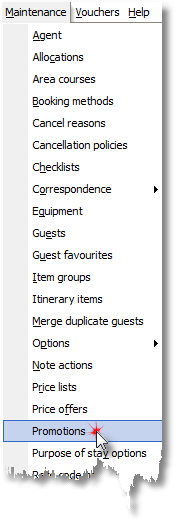
1. Click Promotions from the Maintenance menu.
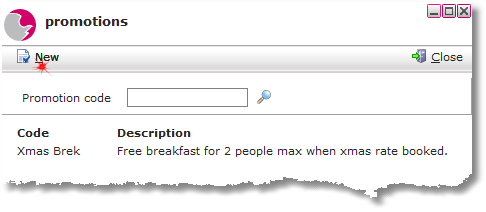
2. Click new
3. Fill in the mandatory and relevant fields to complete the adding a promotion code process.
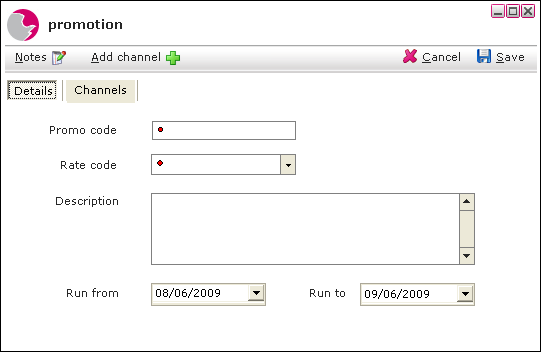
Promo code: This is the code that will be given to the guests to enter during the online booking process.
Rate code: The promo code will be accessible from the rate code that it has been linked to.
Description: The Description free type field can be used to add more information about the promotion code.
Run from & Run to A date range can be entered of when the promotion code would like to be used from and to as required.
4. Click Save
See next: How to Create a New Rate Code
How to Change the Price of a Rate Code