
User defined fields are bespoke fields that can be added to a guest or membership profile to record additional information. There are 5 user defined fields that can be used to enter a topic.
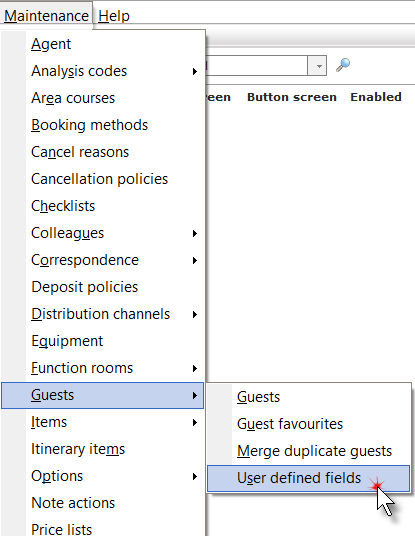
1. Click Guests then User defined fields from the Maintenance menu.
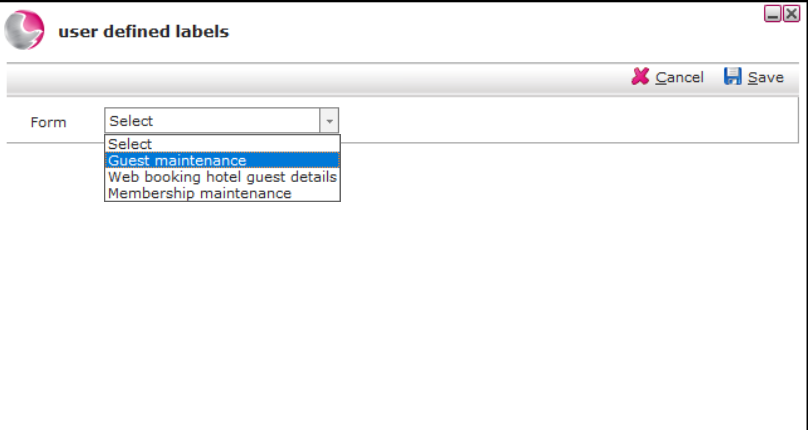
2. Click on the Form drop down menu and select an area from the options provided.
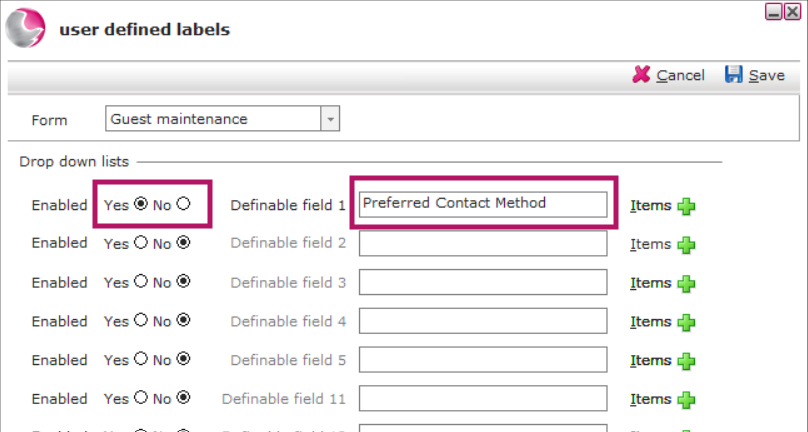
3. Click 'Yes' in the Enabled checkbox, enter the topic in the definable free type field.
For example: Preferred Contact Method
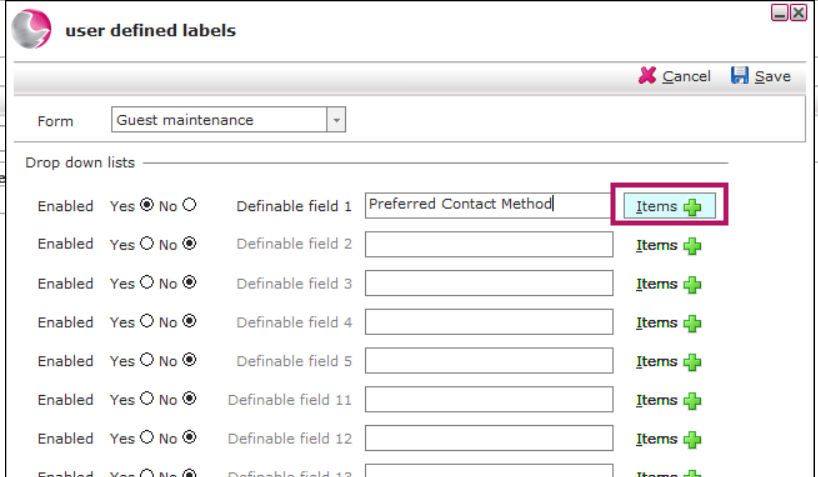
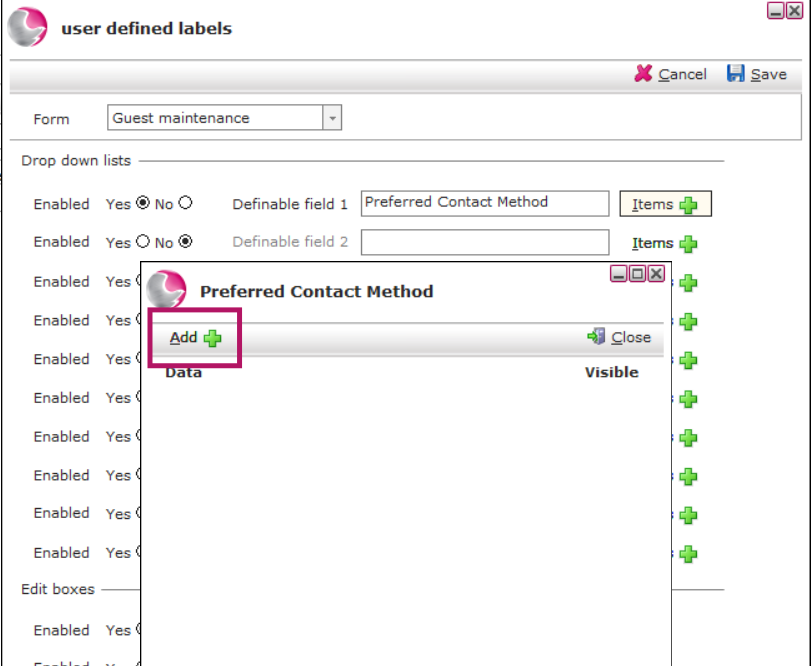
4. Click items icon +
5. Click add icon.
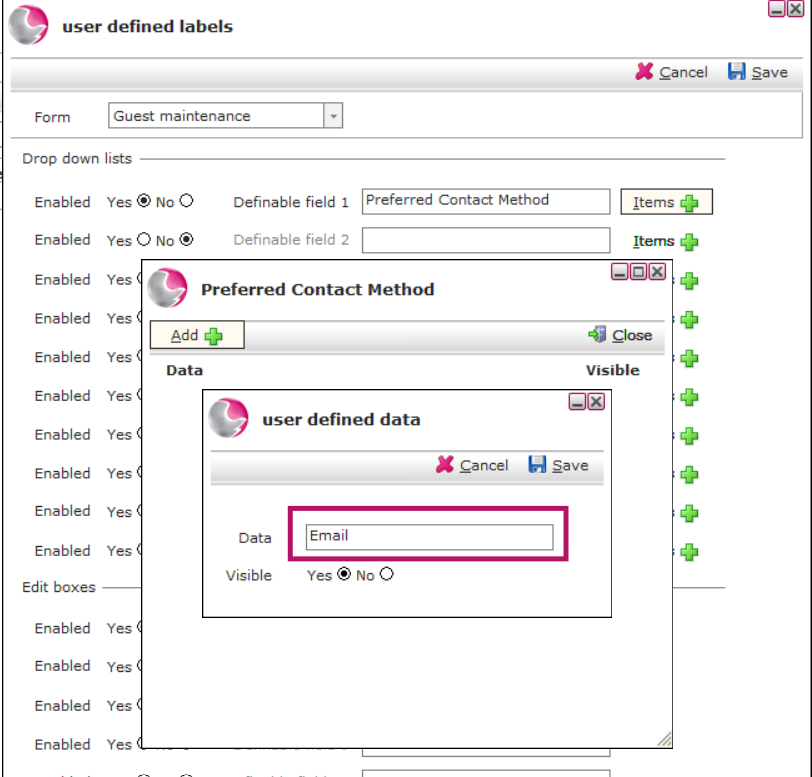
6. Enter an answer to the topic and click the 'Yes' Visible checkbox.
For Example: Email, Phone, SMS, Letter
7. Click Save.
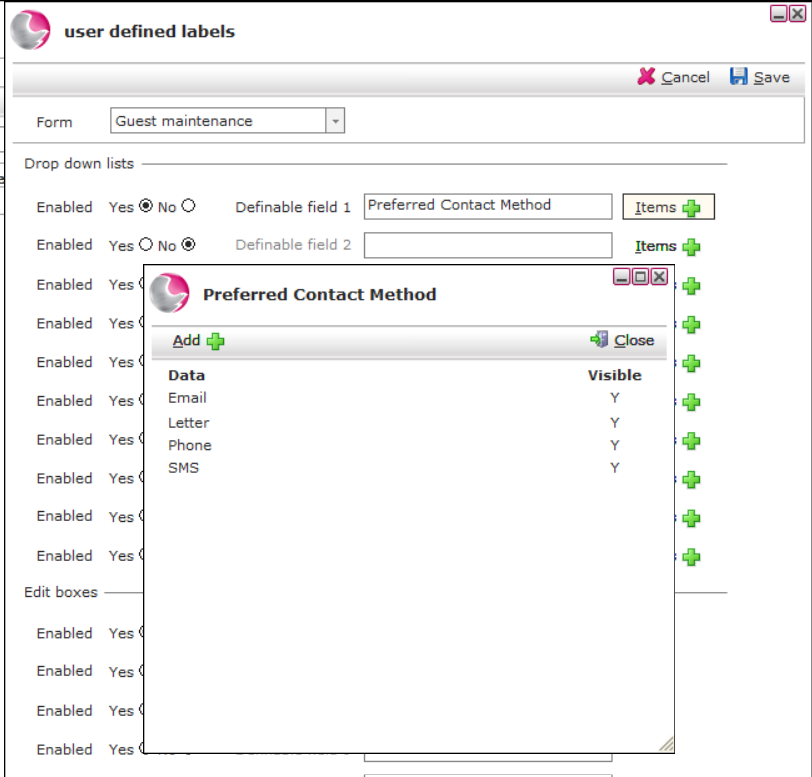
8. Click close and Click save.
Deleting User Defined Fields
User defined fields cannot be deleted however they can be disabled if it is not required anymore. Alternatively the fields that are no longer in use can be typed over and re-used.
See next: How to Use Guest Search
How to Add Guest Favourites