
When taking a booking, always search for the guest first to check whether they already have a profile in the system.
Why search first?
- Faster bookings: a returning guest's details are already in the system, so the reservation is quicker to complete.
- A warmer welcome: recognising a guest who has stayed before makes a great impression.
- Accurate marketing data: duplicate guest records make your customer database less reliable for marketing promotions.
Found duplicates? Use the Merge Duplicate Guests option to combine them without losing any information. See How to Merge Duplicate Guests.
Searching for a guest
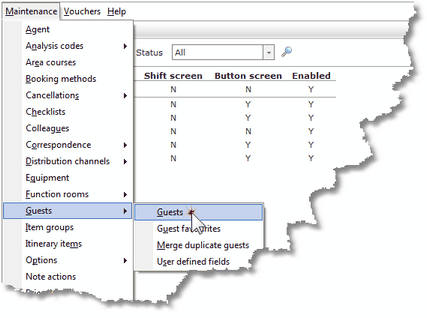
From the Maintenance Menu, select Guests.
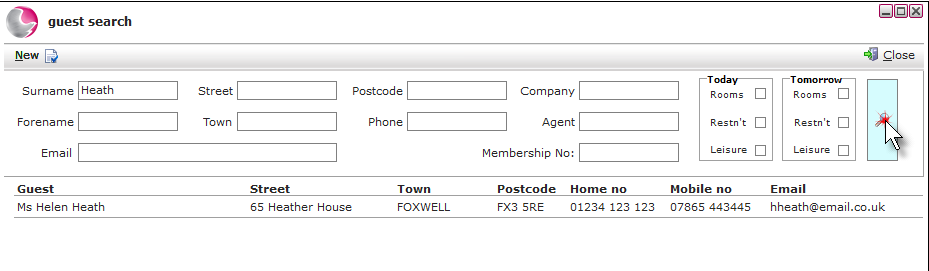
Enter the guest's surname, or any other details you know, in the search fields. Click the magnifying glass or press Enter to search. Click a guest to open their profile.
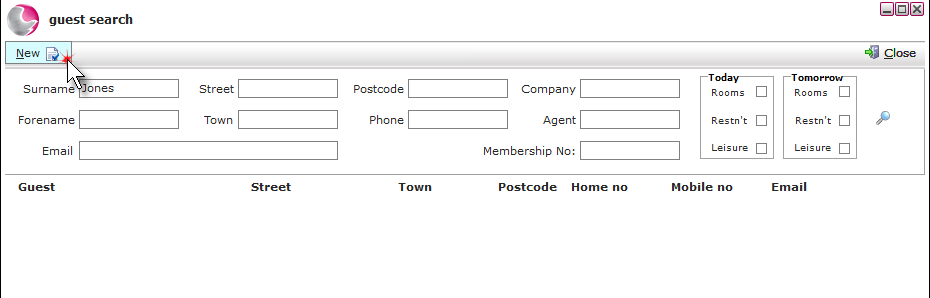
Adding a guest who isn't found
If the guest isn't in the database, click New.
Complete the Guest details form. Fields marked with a red dot are mandatory.
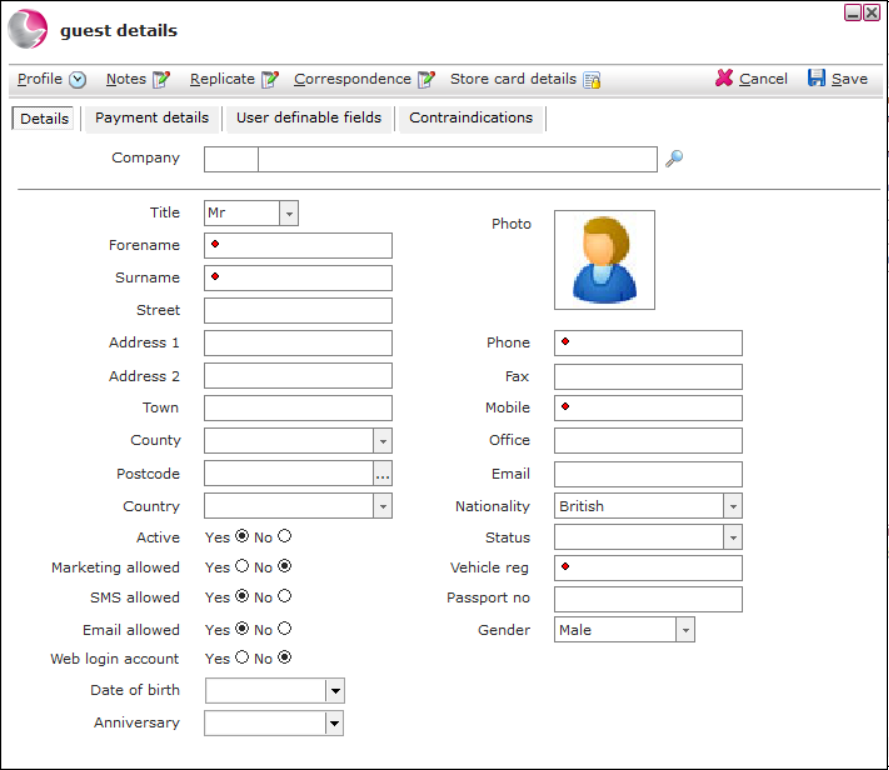
Click Save.
Tip: Collect as much information as you can for marketing. As a minimum, enter the guest's name, address, telephone number and email address so you can contact them before they arrive.
Related articles