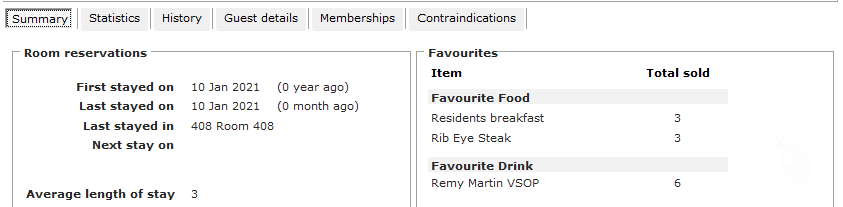
Guest favourites can be set up, so that it is easy for a user to track a regular item that a guest has used/ordered against their profile.
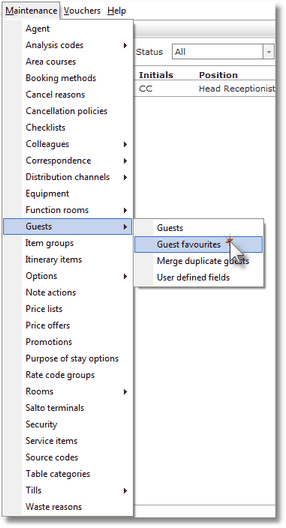
1. From the maintenance menu, click on guests and then guests favourites.
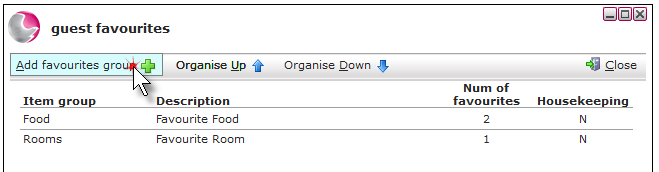
2. Click on Add Favourites Group.
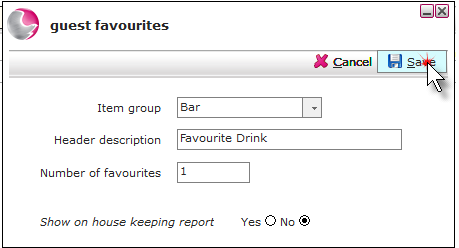
3. Complete the Guest Favourites form.
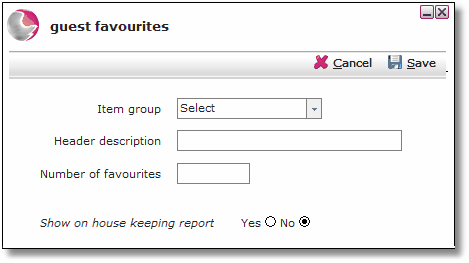
Item Group: Select the item group. i.e.; Bar, Food
Header Description: Type a description for the guest favourite. i.e. Favourite Drink.
Number of Favourites: The number of favourites to be reported.
4. Click Save.
5. Use the organise up and organise down arrow's to determine which order the guest favourites description will appear on the guest profile.
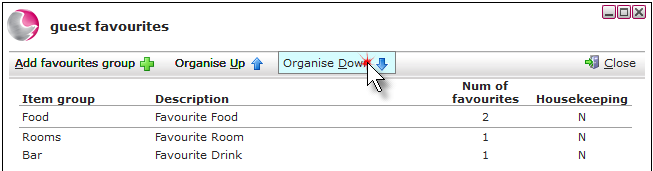
6. Click Close.
The guest favourite that has been created will now appear on the guest profile under the summary page.