Deleting an EPOS List is permanent and it cannot be recovered.
1. Click on the EPOS Lists icon in the Areas section.

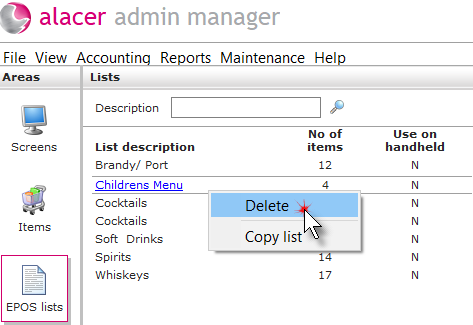
2. Right click on the list. Click Delete.
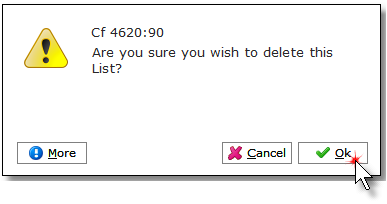
3. Click Ok.
See next: How to Create a New EPOS List
How to Delete Items from EPOS Lists

Deleting an EPOS List is permanent and it cannot be recovered.
1. Click on the EPOS Lists icon in the Areas section.
2. Right click on the list. Click Delete.
3. Click Ok.
See next: How to Create a New EPOS List
How to Delete Items from EPOS Lists