
Extras tabs can be created as an additional tab for transactions that don't need to appear on the main reservation tab.
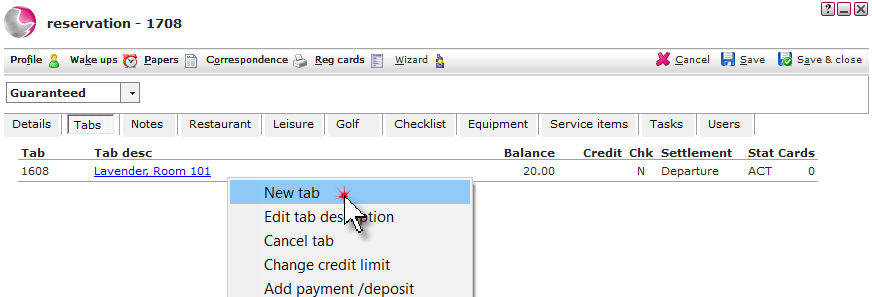
1. Open the reservation and click on the Tabs page then right click on the Tab description. Click New Tab.
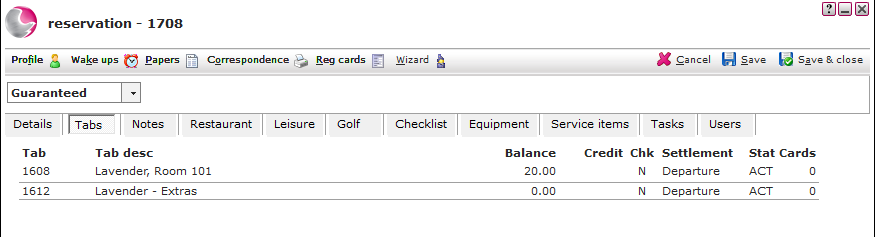
2. The extras tab will be displayed.
See Next: How to Edit a Tab Description
How to Transfer transaction to Another Tab